 Comparison
Can Local Printers Handle Large Corporate Volume?
Last Updated: November 17, 2026
Quick Summary
Yes, local printers can handle much of corporate print volume, especially steady recurring work like reports, sales collateral and employee materials. A local shop may not suit a single 500,000-piece national mailer, but it can be a strong partner for the everyday workload that keeps most corporate departments running.
- Corporate print volume usually arrives as repeat jobs, with a few large campaigns adding spikes.
- Test a shop's capacity against your peak-day volume, not just your monthly average.
- Ask for impressions per day, since make-ready and drying time limit real output.
- Finishing such as folding and binding often becomes the bottleneck before the press does.
- Get turnaround and backup commitments in writing, not just verbally.
Table of Contents
- What Large Corporate Print Volume Actually Looks Like
- Printer Types Built for High-Volume Business Use
- Can a Local Print Shop Handle Large Corporate Print Runs?
- Local Print Shop vs. Online Printer: Which Fits Your Workload
- Commercial Printer Turnaround Time and Rush Capacity
- Local Provider vs. In-House Printing: Total Cost and Risk
- Questions to Ask Before Placing a Large Corporate Order
- Frequently Asked Questions
What Large Corporate Print Volume Actually Looks Like
Corporate print volume rarely arrives as one big order. It usually shows up as a steady stream of repeat jobs: quarterly reports, branded sales collateral, signage refreshes, and employee materials. Many marketing teams place dozens of small-to-mid runs a year, and a few large campaigns add spikes on top.
That pattern matters because it shapes what "handling volume" actually means. A local shop may not be the right fit for a single 500,000-piece national mailer. It can, however, be a strong partner for the steady, recurring workload that keeps most corporate departments running. At PRINTnMORE, we see that mix every week across corporations, schools and sports teams in the Miami area.
Industry analysis for 2026 points the same way. Repeat orders from local segments continue to drive much of the commercial printing volume, according to Printing Supplies Direct commercial printing market analysis 2026. The practical takeaway is simple: before you ask whether a local printer can handle your volume, measure how your volume actually arrives.
Printer Types Built for High-Volume Business Use
Not every printer can carry a corporate workload, and the equipment behind a print shop shapes what it can deliver. High-volume work generally runs on one of three setups.
- Production digital presses handle short-to-medium runs with fast turnaround and strong color consistency.
- Enterprise laser printers suit high-volume monochrome document output.
- Multifunction devices (MFPs) combine printing, scanning and document routing.
Here is how these categories compare for corporate use:
| Printer Type | Best For | Typical Volume | Trade-off |
|---|---|---|---|
| Production digital press | Branded collateral, short-to-medium runs | High | Large footprint |
| Enterprise monochrome laser | Daily document output | Very high | High upfront cost |
| Multifunction device | Print, scan, route in one unit | Moderate to high | Needs professional setup |
| Compact office color laser | Small-to-medium offices | Moderate | Higher cost per page |
Equipment matters, but it is only half the answer. The right choice depends on the job.
Can a Local Print Shop Handle Large Corporate Print Runs?
Whether a local printer can handle your workload depends on the shop, so testing its capacity before you commit is worthwhile.
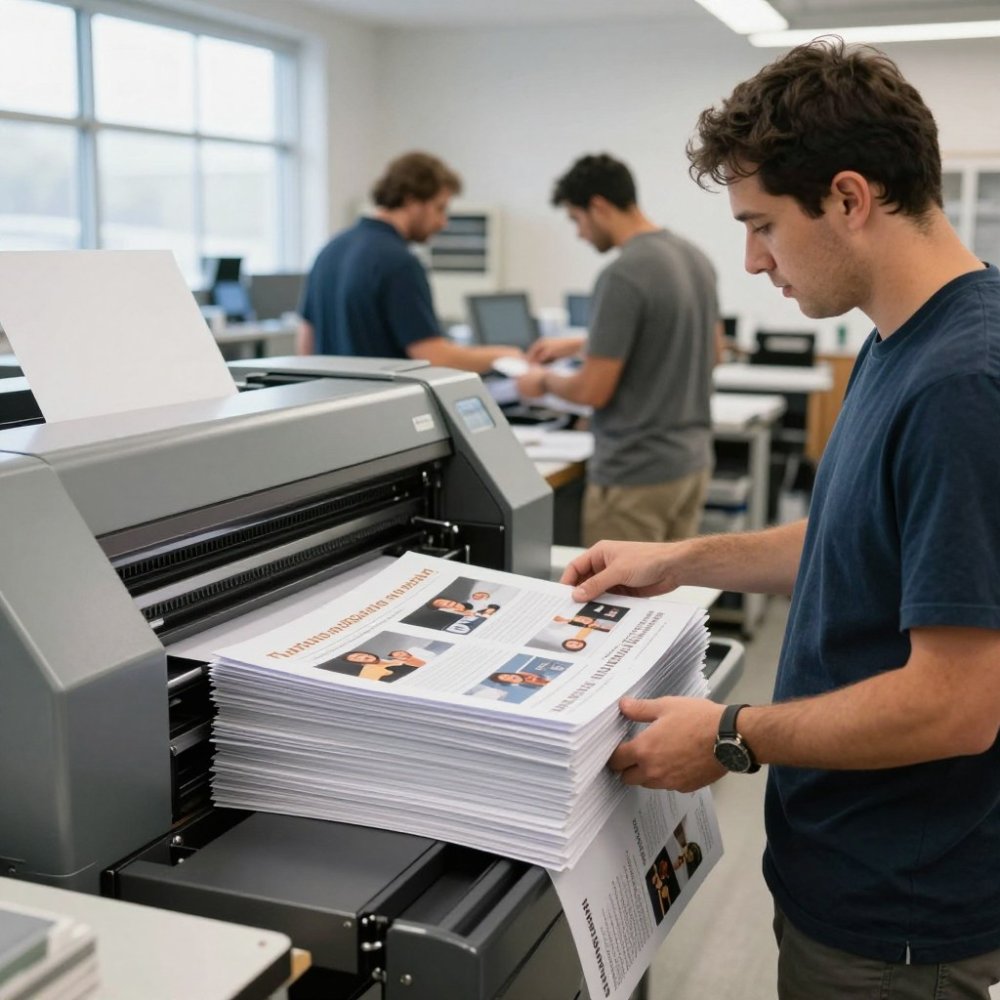
A practical capacity assessment works in five steps.
1. Convert your annual volume into a monthly and peak-day figure. Pull twelve months of invoices or in-house print logs and separate recurring work (reports, HR packets, sales collateral) from campaign spikes.
2. Ask for impressions per day, not pages per minute. A press rated at a high page-per-minute figure still loses hours to make-ready, stock changes, and drying or curing time. Ask how many sellable impressions the shop produced on its busiest day in the last quarter, and on how many shifts.
3. Test the finishing bottleneck. Folding, saddle-stitching, perfect binding, die-cutting, and inserting usually constrain throughput before the press does. A shop with a fast digital press and one aging folder will miss deadlines on bound reports no matter how good the printing is.
4. Confirm staffing and shift coverage. Ask who runs your job, whether a second operator is trained on that equipment, and whether the shop runs a second shift during peak season. A single-operator shop is a single point of failure.
5. Get turnaround and backup commitments in writing. Standard turnaround, rush cutoff times, and the contingency plan for equipment failure should appear in the quote or a service-level document, not just in conversation.
Watch out: a shop that quotes a fast turnaround without asking about your peak dates, stock, or finishing is quoting the press, not the job.
Capacity, Speed and Paper Handling to Check
Before you place a large order, ask a shop to confirm a few specifics:
- Press speed and daily output. Ask how many impressions per day the equipment can realistically produce, and how that changes with heavier stocks or two-sided color.
- Paper stock range. Confirm the shop can source and run the weights, coatings and sizes your project needs, and ask what happens when a stock is backordered.
- Finishing capacity. Folding, binding, die-cutting and inserting can become the bottleneck, not printing itself. Ask for the rated throughput of each finishing station.
- Staffing on deadline. Ask who runs the job and whether there is a backup if a machine goes down.
- Redundancy. Ask whether the shop has a second production device or a trusted partner it routes overflow to, and who bears the risk if that partner misses the date.
Pricing for large runs depends heavily on quantity, dates and delivery, so request a written quote for your exact specifications rather than relying on estimates. An itemized quote should separate printing, stock, finishing, proofing, and delivery so you can compare providers on the same basis.
Print Quality and Color Consistency Across Runs
Color drift is one of the most common frustrations with large orders. A reprint six months later can look noticeably different if the shop lacks color management. Ask how the shop calibrates equipment, whether it works from approved proofs, and how it checks color across a long run. A shop that can explain its process clearly is usually a safer bet than one that promises perfection without detail.
A concrete way to test this before committing a large run: request a physical proof and a short production sample from the actual press and stock, then hold that sample as the reference for the full order and any reprint. Ask whether the shop retains your approved color profile and job history so a reorder matches without starting over. For brand-sensitive collateral, confirm who signs off on color and what the reprint policy is if the delivered job falls outside the approved proof.
Distributed and Multi-Location Fulfillment
Corporate volume often means the same document going to several offices, regions, or event sites. Ask whether the shop can produce a consistent run and split it into labeled shipments by location, whether it can hold inventory and ship on release, and how it reports delivery confirmation back to you. Confirm shipping costs and lead times per destination before you assume the local option is cheaper once freight is added.
Local Print Shop vs. Online Printer: Which Fits Your Workload
Online printers are simple to use and work well for standardized products with predictable specs. A local shop adds value when the job involves revisions, tight deadlines, hands-on proofing or custom finishing.
Choose an online printer when your jobs are repeatable, your artwork is final, and you rarely need a physical proof. You can compare offset printing and digital options for corporate branding to decide which method suits your runs. Choose a local partner when you need to review samples in person, change files late in the process, or get same-day or rush production. Many corporate teams split their work between the two, using online services for routine reorders and a local shop for launches and urgent jobs.
For a deeper look at the trade-offs, see our guide on why you should use local printing services.
Commercial Printer Turnaround Time and Rush Capacity
Turnaround is where volume and reliability meet. A shop that quotes fast delivery on paper may struggle when several large jobs land at once. Ask about standard turnaround, rush options and what happens during peak periods.
PRINTnMORE is a family-owned, on-premises operation that offers professional printing services with fast turnaround and 24-hour rush service. Because production happens in-house, schedule changes can be handled directly rather than passed through a third party. When you evaluate any provider, ask for turnaround commitments in writing and confirm how rush orders are prioritized against existing work.
Local Provider vs. In-House Printing: Total Cost and Risk
Comparing local printing with an in-house setup means looking past the sticker price.
Fixed costs of in-house printing. Equipment purchase or lease payment, installation and floor space, the service or maintenance contract, software and color-management tools, and the loaded cost of the staff who run and supervise the equipment.
Variable costs of in-house printing. Toner and ink, paper and specialty stock, waste and spoilage from make-ready and reprints, and the electricity and supplies that scale with volume.
Costs of outsourcing. Per-job pricing that bundles printing, stock, finishing, and often delivery, plus your internal time to prepare files, approve proofs, and manage the vendor.
Risk items to price in. Downtime when a device fails, the cost of a missed deadline or a reprint, the staff time lost to troubleshooting, and the capital tied up in equipment that depreciates.
Data security and confidentiality. If your documents include confidential financial, legal, or customer information, confirm how the provider handles files, access controls, retention, and disposal of printed waste before you send anything.
Quality assurance and contingency. Ask for the proofing workflow, the reprint policy if a job falls outside the approved proof, and the backup plan if equipment fails during your run.
Watch out: an in-house cost-per-page figure that excludes labor, service, and spoilage will almost always understate the true cost and make outsourcing look more expensive than it is.
Questions to Ask Before Placing a Large Corporate Order
Use this checklist when you evaluate any local printer for a high-volume job:
- What is your daily production capacity for this type of job?
- Can you produce a physical proof, and how many revision rounds are included?
- How do you maintain color consistency across reprints?
- What is your standard and rush turnaround, in business days?
- Who manages my order, and what is the backup plan if a machine fails?
- How do you protect confidential files, and what is your disposal process?
- Can you provide references from comparable corporate clients?
- Is the quote itemized, and what fees apply beyond the base price?
Most reliable local printers will answer these questions directly. Vague answers are a warning sign. If you are weighing a local partner for a large project, contact PRINTnMORE for a quote tailored to your quantity, specifications and deadline.
Ready to see whether a local partner fits your next corporate project? Contact PRINTnMORE for a custom quote built around your volume and timeline.
Frequently Asked Questions
Can a local print shop handle large corporate print runs?
Many local print shops can handle large corporate runs, but capacity varies widely from shop to shop. Ask for the press type, monthly output, shift coverage and how many jobs of your size they completed in the past year. A shop that handles repeat corporate work regularly will usually have a clear answer. Request a sample run or references before committing a large order, especially if color accuracy and consistency across thousands of pieces matter to your brand.
Which type of printer is best suited for higher volumes of printing?
Production printers and high-speed laser or digital color presses are built for higher volumes than standard office machines. Look at monthly duty cycle, pages per minute, paper capacity and finishing options. Office multifunction printers can handle moderate volume, but sustained high-volume jobs usually run better on production equipment. Pricing depends on configuration, quantity and delivery, so request a quote for your specific workload.
What should I ask a print shop before placing a large order?
Ask about production capacity, typical turnaround time for your quantity, proof and approval steps, color management process, and what happens if a run has defects. Confirm who handles data security for confidential files and whether the shop can reprint quickly if needed. Clear answers to these questions reveal whether a provider can support your volume reliably.
Is it cheaper to outsource high-volume printing or print in-house?
It depends on volume, frequency and the true cost of in-house equipment, toner or ink, maintenance and staff time. Low, irregular volumes often favor outsourcing, while steady, very high volumes may justify in-house production. Compare cost per finished piece, not just the equipment price, and include turnaround and risk of downtime. Contact PRINTnMORE for a current quote based on your quantity and delivery needs.